 Ali PDF Editor
How to sign a PDF on Mac or Windows
Signing a PDF should not mean printing it, signing with a pen and scanning it back in, or creating an account on a signing website and uploading the document. Ali PDF Editor puts your signature on the page in a few clicks, on your own Mac or PC.
Sign a PDF in four steps
- Open the PDF and click Sign (G) in the toolbar.
- Make your signature, once: draw it with the mouse or trackpad, type your name and pick a handwriting style, or use a photo of your signature on paper. It is kept for next time, on your computer.
- Click where it goes. The signature lands there; drag it to place it exactly, and drag its corner to make it larger or smaller.
- Add the date and save. Use Fill In (F) to type the date next to it, then save. To send a copy nobody can change, use File > Save Filled Copy (Flattened).
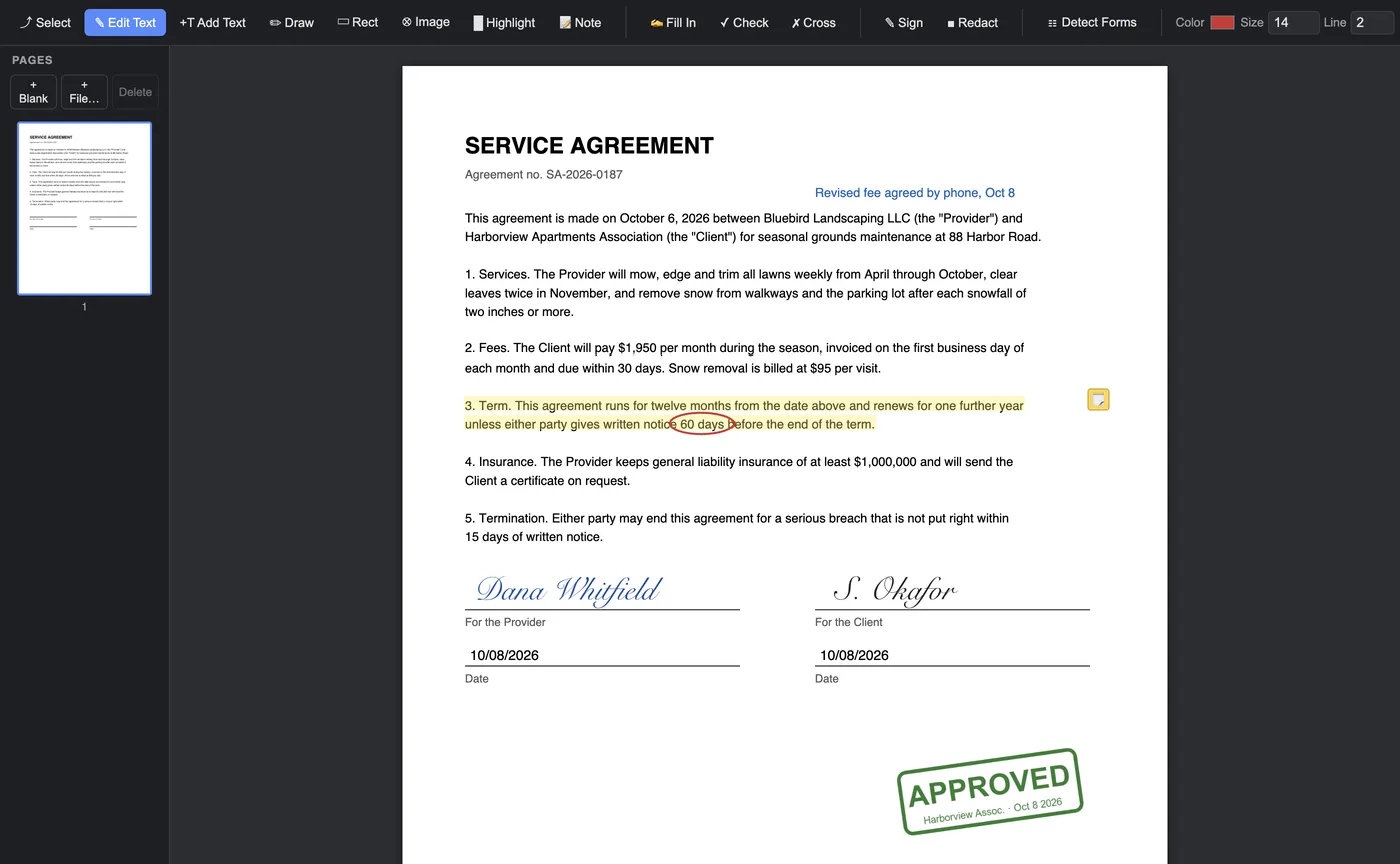
On a form with a signature line
When you use Detect Forms on a form, signature lines are recognised from the words printed beside them (“Signature of applicant”, “Sign here”). Click such a line and your signature is put on it, fitted to the line, in one step. To type a name there instead, right-click it and choose Field Kind > Text.
Signatures, initials and stamps
The same tool places any picture: your initials, a company stamp, an “APPROVED” mark or a logo. Each one can be moved by the round blue grip at its corner, resized by the other corner, and removed with Delete.
Is this a legal signature?
A signature image on a PDF is what most people mean by “signing a PDF”, and it is accepted for a great many everyday documents: leases, permission slips, invoices, forms for a school or a club. Some documents call for a certified digital signature with a certificate from a trust provider; Ali PDF Editor does not make those. When in doubt, ask whoever asked you to sign.
Questions
Can I sign a PDF without an account?
Yes. Ali PDF Editor has no accounts: open the PDF, place your signature, save. Nothing is uploaded.
Can I reuse my signature?
Yes. The signature you draw, type or photograph is kept on your computer and offered the next time you sign.
Does the signature show in other PDF readers?
Yes. It is saved as part of the page, so it shows the same in Acrobat, Preview, browsers and on phones.
Try it on your own forms. The download is the full app, free for seven days, no card. Then $8.99 once, for life, on up to three computers.
Download for Mac or Windows