 Ali PDF Editor
How to edit PDF text on Mac or Windows
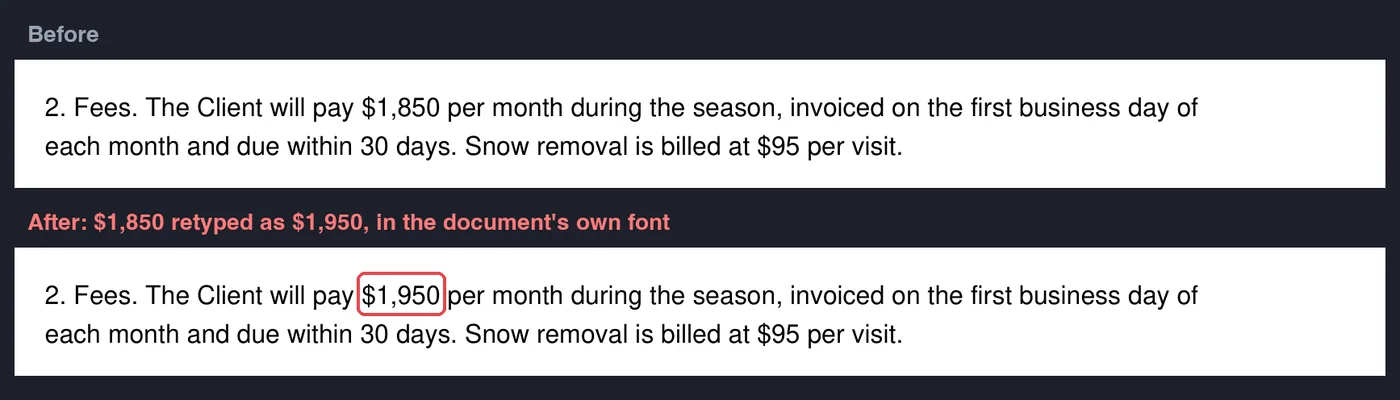
A wrong date, a misspelled name, a price that changed: small mistakes in a PDF are usually fixed by going back to the original file. When there is no original, or it is someone else’s, you need to change the PDF itself. Ali PDF Editor edits the text of a PDF in place, in the document’s own font, without converting it to another format and back.
Change existing text
- Choose Edit Text (T). Lines of text show an outline as you point at them.
- Click a line and type your change. Enter or a click elsewhere finishes; Escape cancels.
- Save. The old words are taken out of the page, not just covered, and the new ones are written on the same baseline in the document's own embedded font when that font has the letters, so the line looks as if it had always said so.
To move a line, drag it with Edit Text. A click still edits it.
Add new text
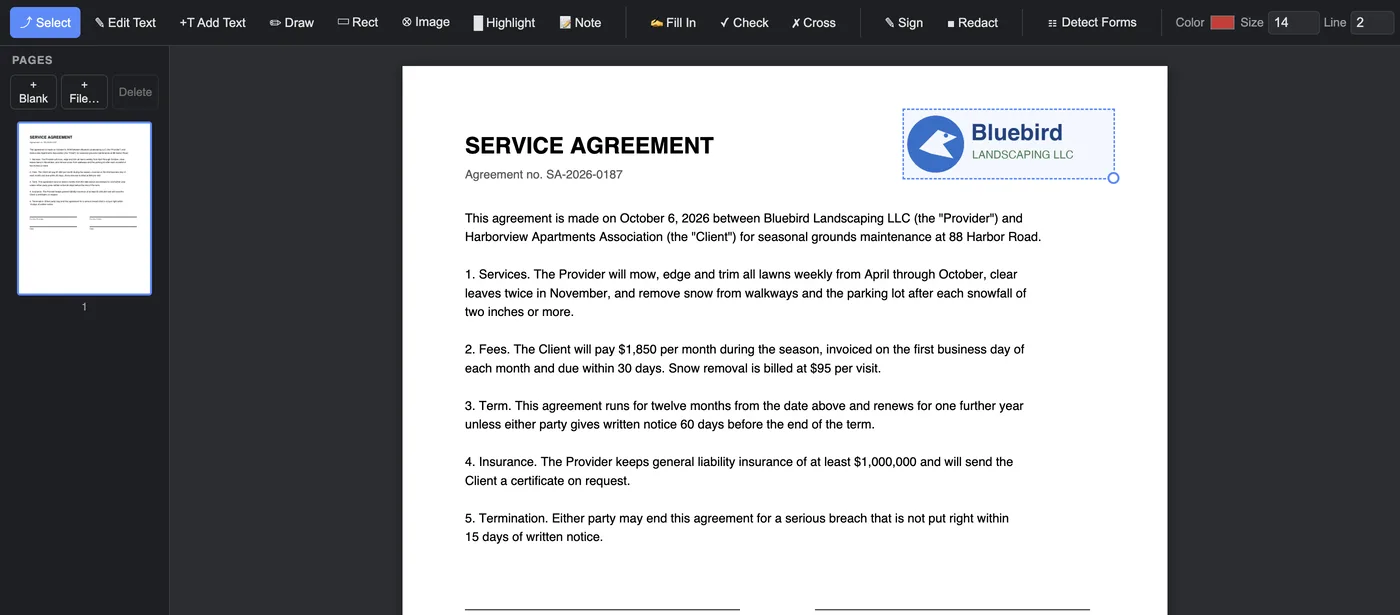
Choose Add Text (N) and click where the words should go. The Color and Size boxes in the toolbar set how it looks. To change it later, click it again; to move it, drag the round blue grip at its corner.
More than text
- Pictures: Image (I) puts a logo, a photo or a stamp on the page; drag its corner to resize it.
- Annotate: highlight, underline and strike through words, draw lines, arrows, rectangles and freehand, and add sticky notes that other PDF readers show as comments.
- Erase: Erase (W) whites out a stray mark or removes a black bar.
Good to know
- Scans have no text to edit: a scanned page is a picture. Cover a word with Erase and type the new one with Add Text, or use Fill In.
- Protected PDFs open with their password; your changes are saved to a copy.
- Every save is checked before the file is written, so a PDF is never left half saved.
Questions
Can I edit a PDF without converting it to Word?
Yes. Ali PDF Editor changes the text inside the PDF itself, in its own font, so the layout stays exactly as it was.
Will the edited text match the rest of the document?
When the document's embedded font has the letters you type, the new text is written in that font, at the same size and on the same baseline. Otherwise the closest standard font is used, with an embedded Unicode font for letters such as ł, ğ, Greek or Cyrillic.
Is my document uploaded?
No. Editing happens on your own computer; nothing is sent anywhere.
Try it on your own forms. The download is the full app, free for seven days, no card. Then $8.99 once, for life, on up to three computers.
Download for Mac or Windows