 Ali PDF Editor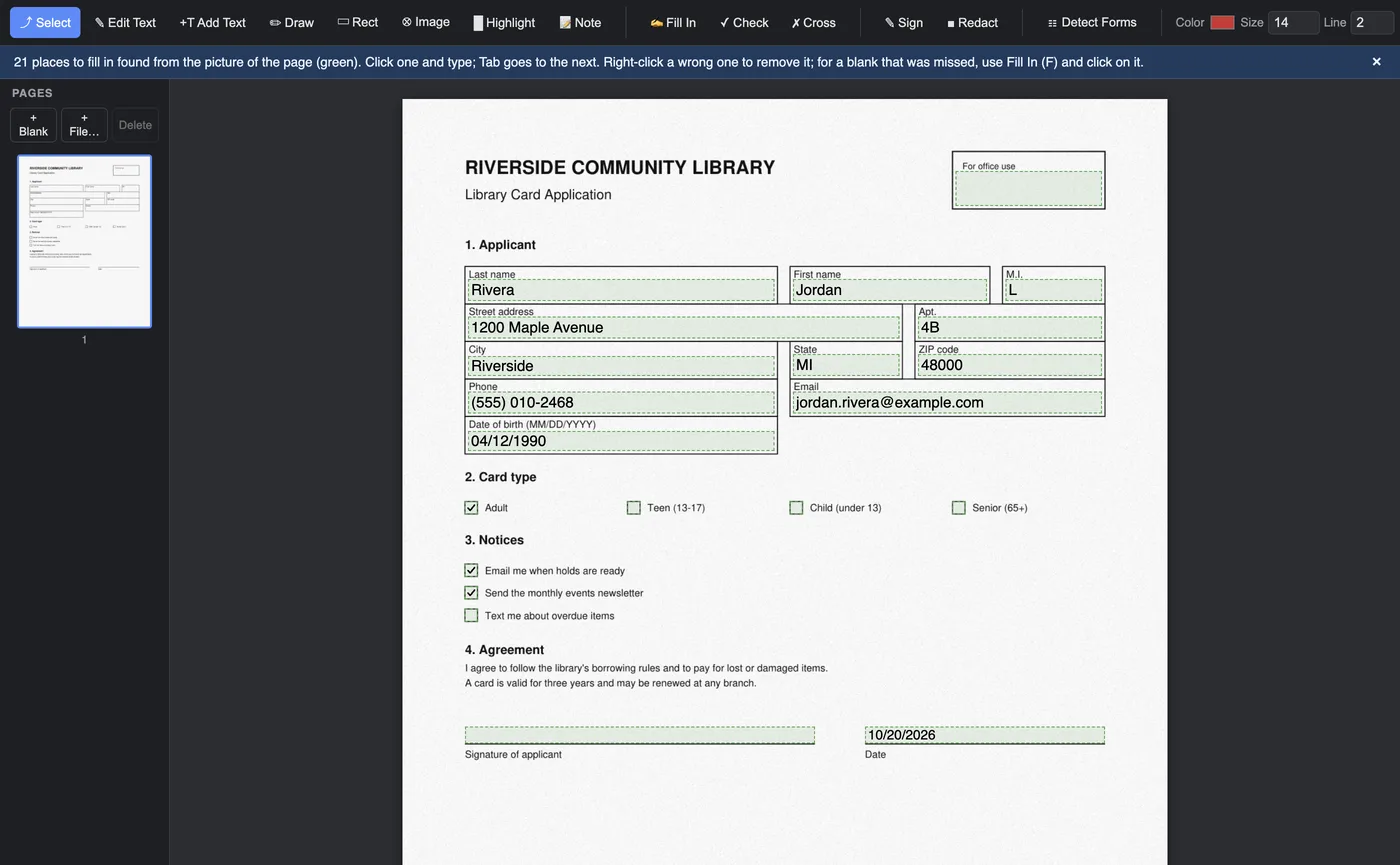
One click finds the blanks
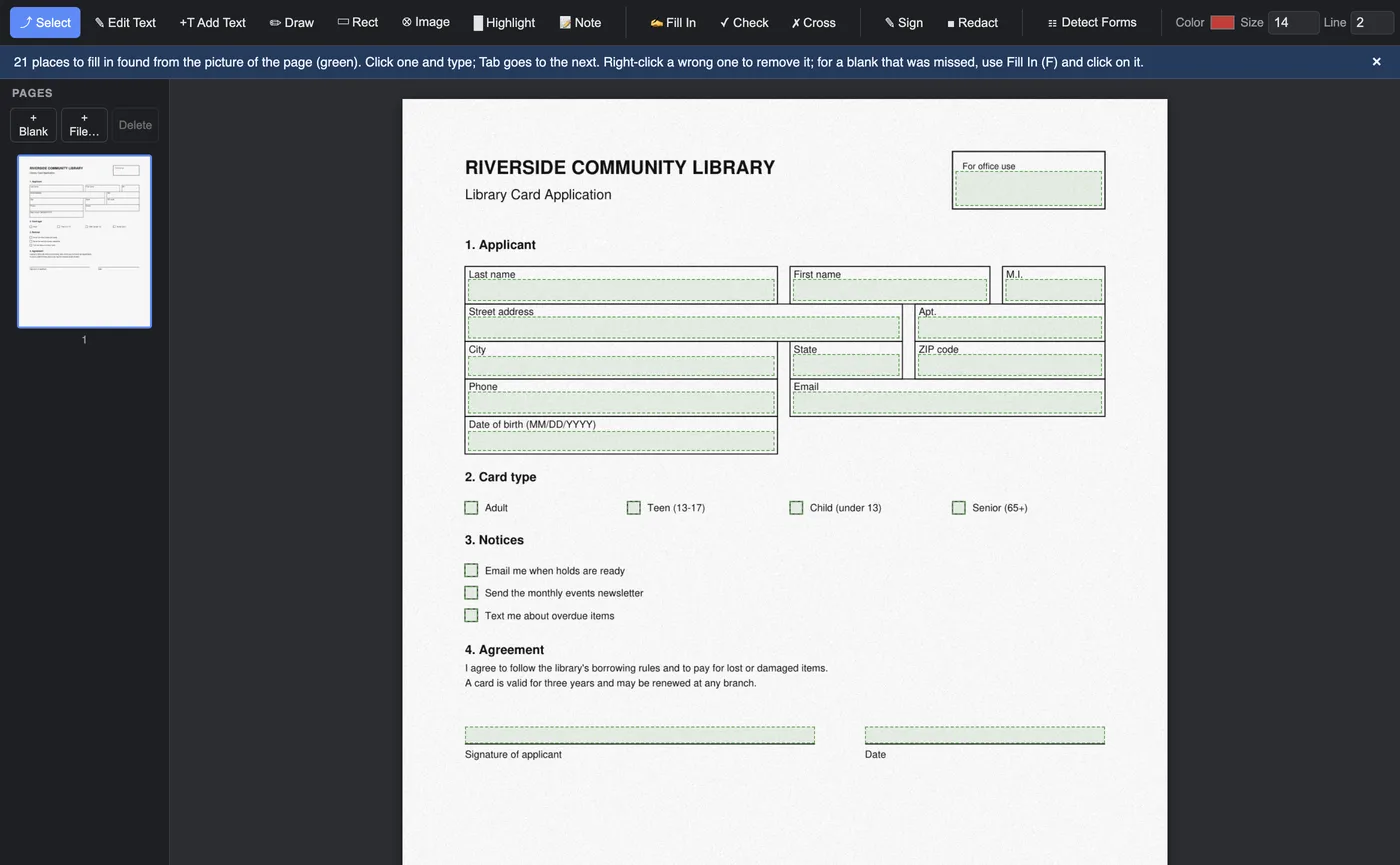
Open the scan and click Detect Forms. The boxes, writing lines and check boxes of the form turn green. Click one and type; Tab goes to the next. Click a square to tick it.
- Works on scans, faxes and forms saved as a picture
- Writing sized to fit each box
- Saved as real form fields: open the file again later, here or in any PDF reader, and change what you typed