 Ali PDF Editor
How to clean up a scanned or photographed document
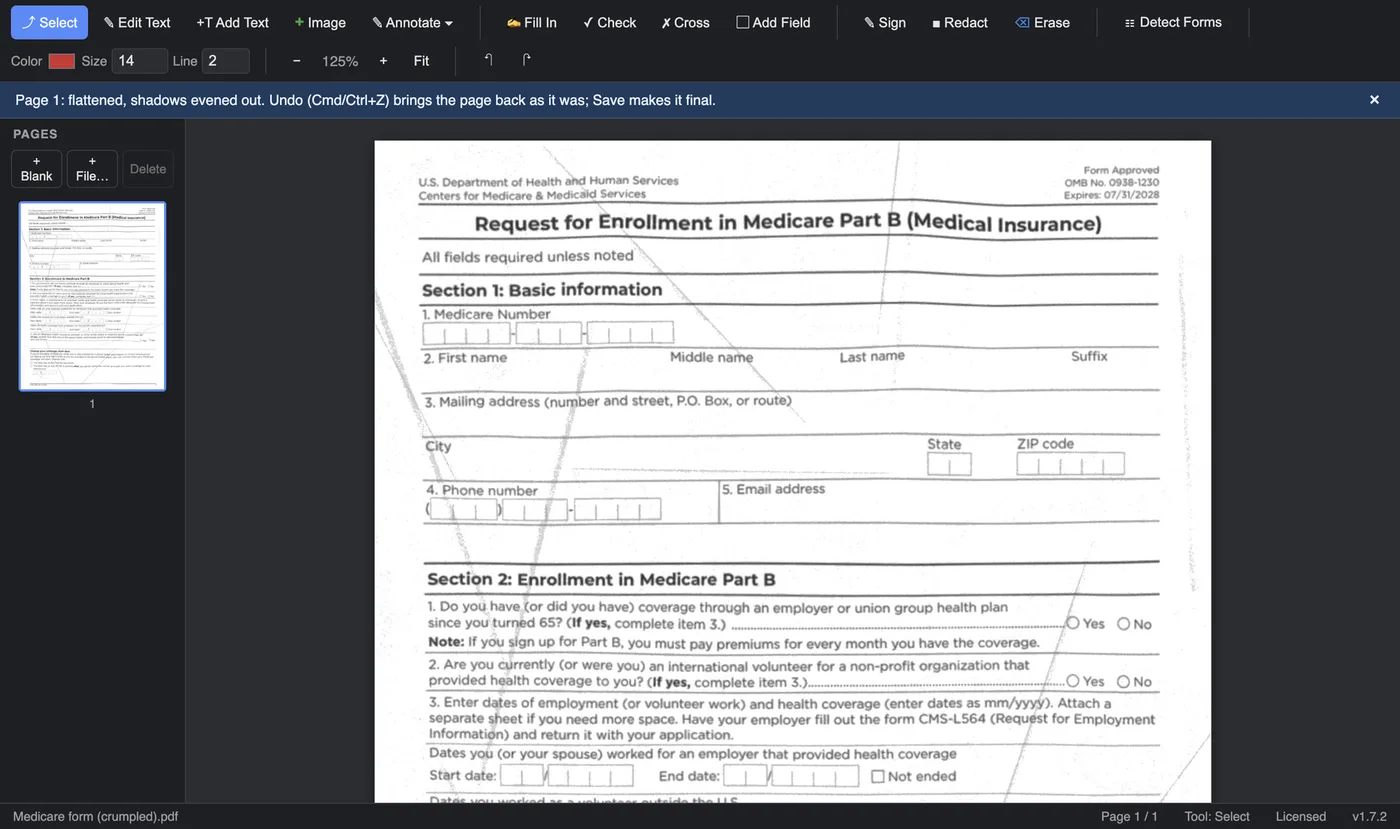
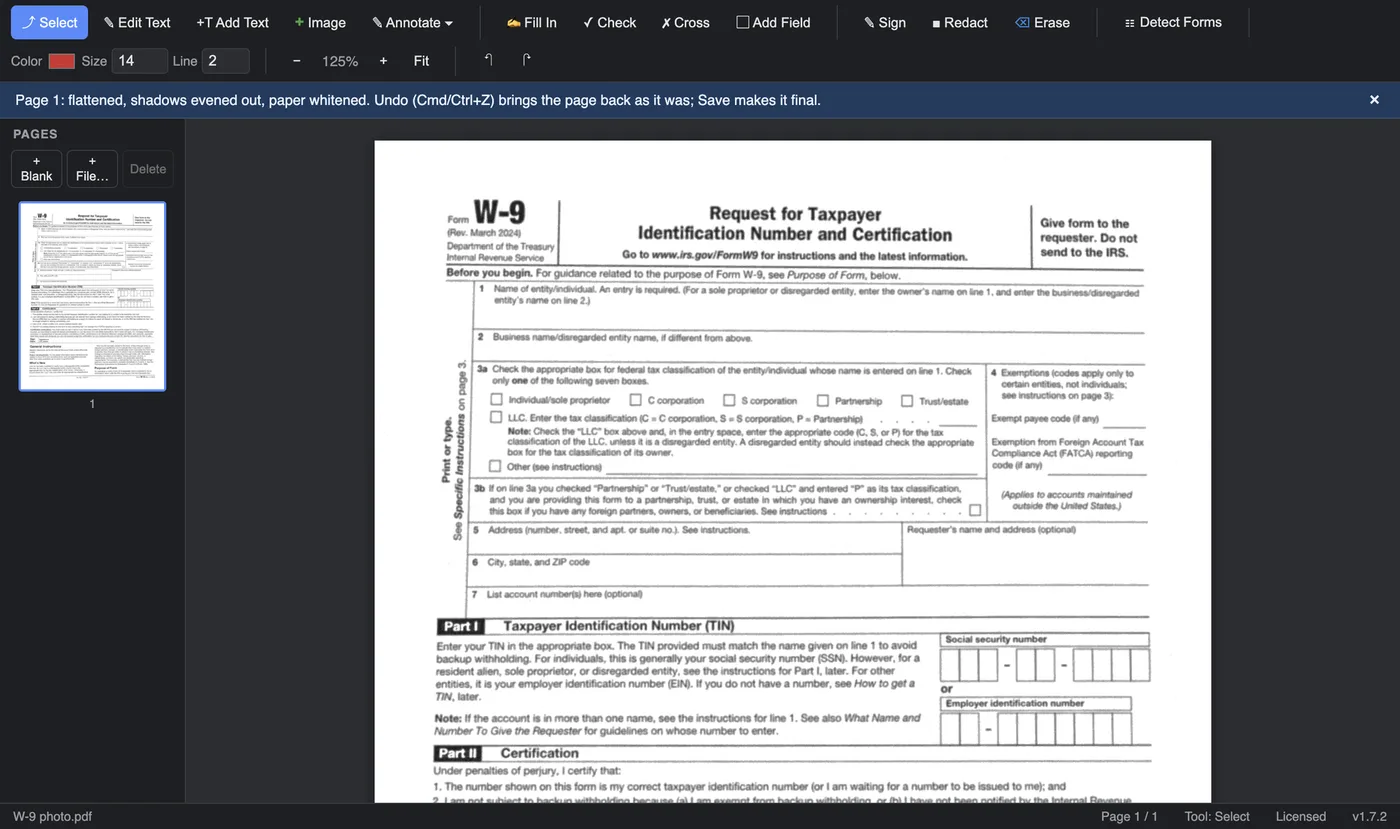
A phone photo of a letter is taken at an angle, lit unevenly and often shows the folds of the envelope. A scan of a sheet that was crumpled in a bag keeps every crease. Ali PDF Editor’s Clean Up Scan redraws such a page as if it had been scanned flat: straight, evenly lit, with the paper white, so it is easier to read, fill in, print or send.
Everything happens on your own computer. The document is never uploaded.
What it fixes
- A page photographed at an angle, curling or wrinkled is made flat, and a tilted one is turned straight.
- Shadows (a hand or the phone over the page), light falling off across a photo, and the patches of light and shade of a crumpled sheet are evened out.
- Fold creases are taken out, and grey or speckled paper is made white. Colour is kept.
Clean up a page in three steps
- Open the scan or photo (a PDF, or a picture you saved as PDF). Drag it onto the window, or use File > Open.
- Choose Tools > Clean Up Scan, or right-click the page. To clean several pages, select them in the sidebar first. Each page takes about a second, and a note says what was done to it ("flattened, shadows evened out").
- Save. Not happy with the result? Undo (⌘/Ctrl+Z) brings the page back exactly as it was.
Good to know
- Filling in a form? You do not have to clean the page first: Detect Forms flattens and straightens its own copy before it looks for the blanks. Clean Up Scan is for the page itself, when you want it to look clean.
- A heavily crumpled page comes out much better, but not like new: faint traces of the deepest creases can remain.
- A page with text of its own (a PDF made by a program, not a scan) is asked about first, because cleaning redraws the page as a picture.
Questions
Does it upload my document?
No. Clean Up Scan runs on your own Mac or PC, with no internet connection needed.
Does it make the text searchable?
No, the page stays a picture. To change words, use Edit Text or Add Text.
Try it on your own documents. The full app, free for seven days, no card. Then $8.99 once, for life.
Download for Mac or Windows